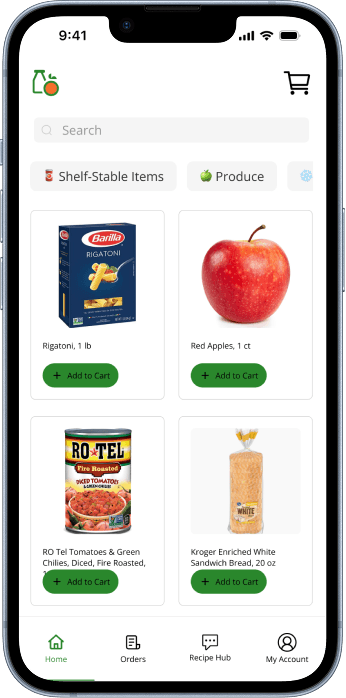
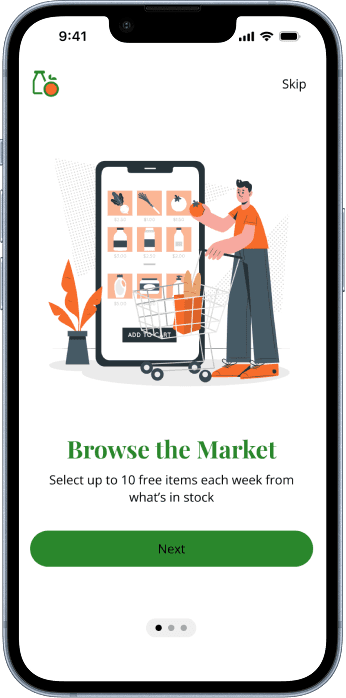
Created during Protothon 2025, Campus Market is a mobile app designed to help university students discreetly browse, reserve, and pick up food pantry groceries. With only 48 hours to design and prototype, I focused on reducing stigma and making the process simple, private, and accessible.
Challenge
To design a solution that addresses one or more problem areas of food insecurity in urban communities including Access to Nutritious Food, Education and Awareness, Reducing Food Waste, Community Empowerment, and Personalized Support.
Outcome
Delivered a mobile app called Campus Market designed to help university students discreetly browse, reserve, and pick up food pantry groceries
Created a presentation highlighting Campus Market and how it addresses the problem area, Access to Nutritious Food, of food insecurity for judging
Role
UX, UI Designer
Time
2 days
Tools
Figma
Google Drive
Pencil and paper
Defining a Problem Space
As I explored potential problem areas to address, I reviewed the provided resources on SNAP and food assistance programs. This, combined with my own memory of university food pantries, highlighted an opportunity to support students facing food insecurity. That insight shaped the direction of my research.
The Scope of the Problem
3.8 million college students experienced food insecurity in 2020 (U.S. GAO).
Many skipped meals or ate less due to cost
59% of food-insecure students who were likely eligible for SNAP did not receive benefits.
Pre-pandemic, only 31% of the 7.3M students eligible for SNAP were enrolled.
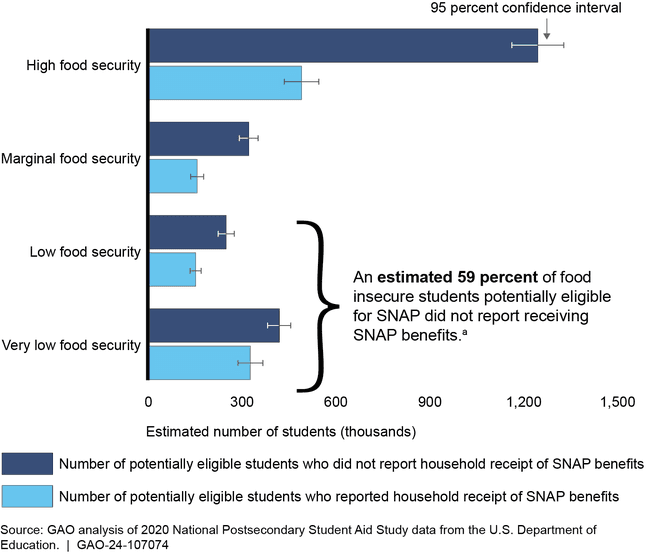
This made me realize that students weren't just food insecure. They're also unaware or unable to access the benefits designed to help them.
Why Students Face Food Insecurity
With that valuable insight, I questioned why students were facing food insecurity in the first place. My research pointed to several contributing factors including:
Rising tuition and living costs
Expensive meal plans
Limited meal availability even with a plan
An increase in non-traditional students balancing work, family, and school
Exploring University-Level Solutions
COMMUNITY GARDENS
I explored university-run community gardens as a potential solution, but studies highlighted major operational challenges:
Limited funding and support
Coordination difficulties
Conflicting schedules
Low awareness
This led me to conclude that while gardens off long-term benefits, they are not reliable for students needing consistent, immediate food access especially when they're constantly busy with classes, work, and potentially family.
CAMPUS FOOD PANTRIES
Food pantries were another solution that universities had implemented. While food pantries seemed more feasible, multiple pain points surfaced that prevented students from using them:
Access Issues
Limited hours
Inconvenient or distant locations
Lack of transportation
Poor food quality or limited culturally relevant options
Information Barriers
Unclear eligibility requirements
Insufficient information about how the pantry works
Students not knowing the pantry exists
Social Barriers
Stigma and shame around seeking help
Expectations of "independence" in college (Henry 2020;Evans 2016)
Fear of being judged for needing assistance
This made me realize that logistical and emotional barriers to food were just as impactful as financial ones. These pain points made me question:
How might we use technology to create a dignified, private, and community-oriented experience that improves student access to campus food pantries?
With limited time to explore multiple concepts, I focused on solutions that directly addressed the key pain points students faced when accessing campus food pantries. Since university students rely heavily on their phones, a mobile app felt like the most natural and accessible platform.
The concept centered on 3 key features:
Access Issues
Information Barriers
Social Barriers
This approach aimed to make the pantry experience more private, consistent, and supportive.
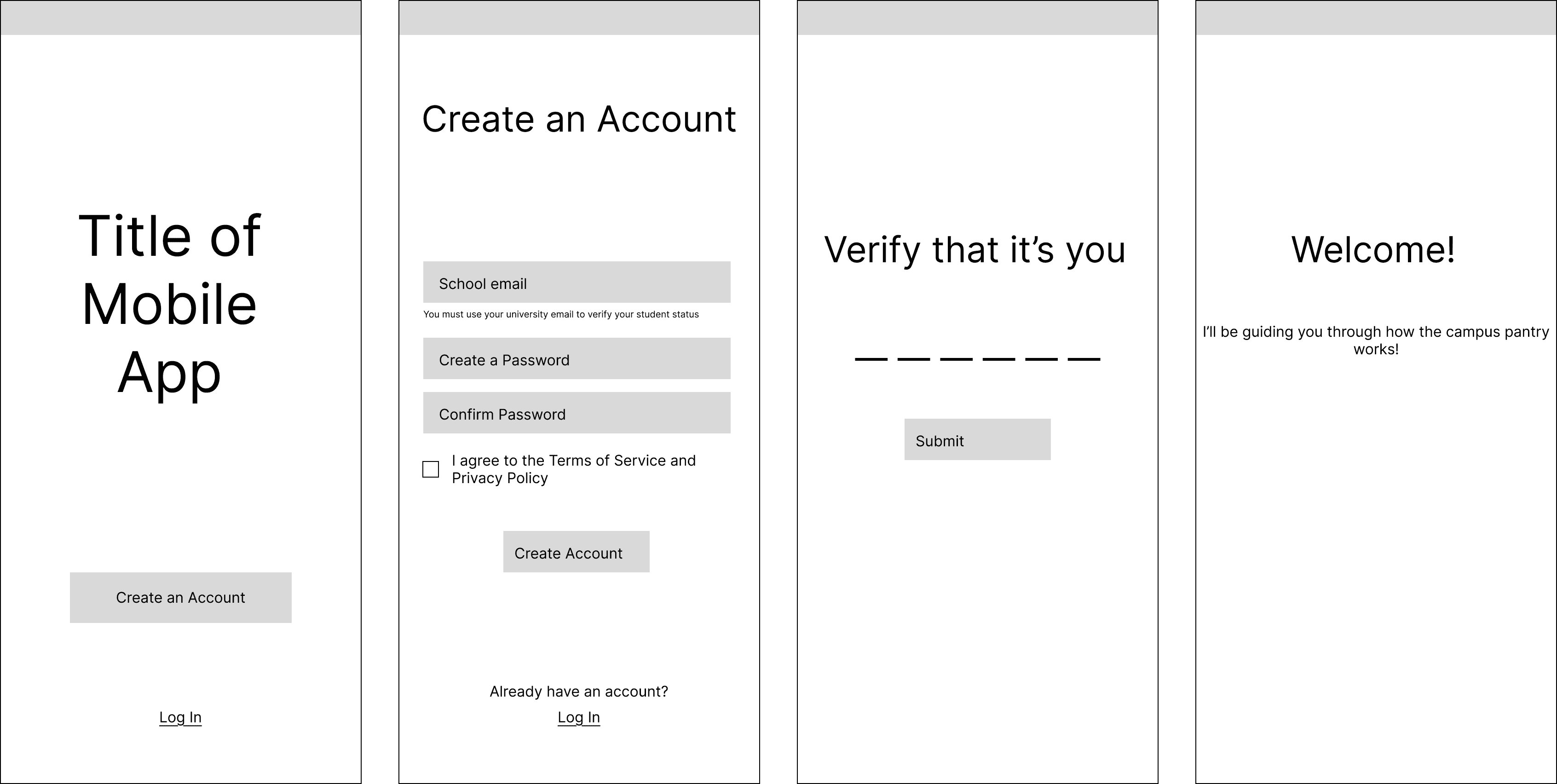
Once I had a direct approach, I started wireframing out the screens of Campus Market.
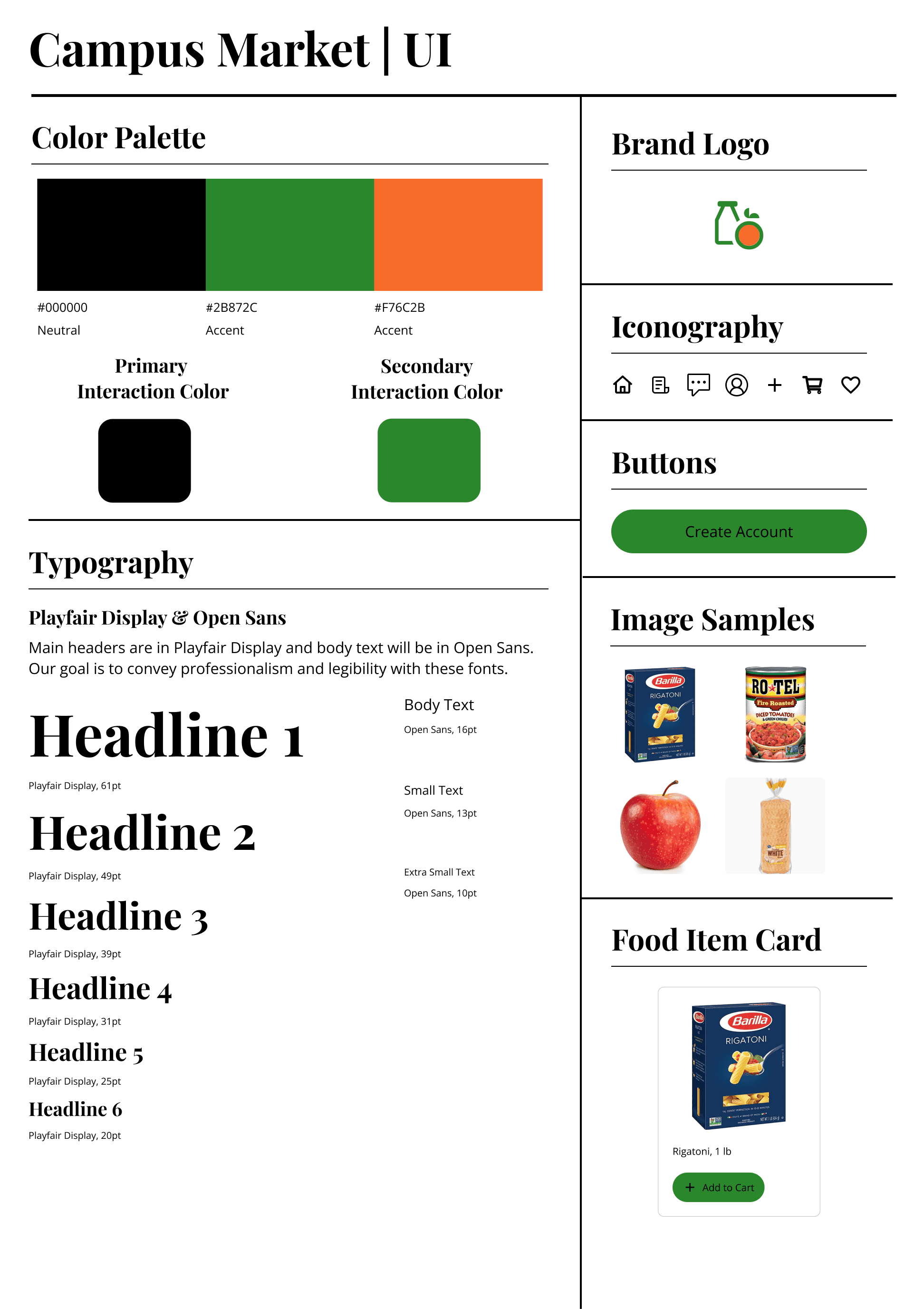
Logo Design
For the logo design, I wanted it to feel more like a fresh food shopping experience than a cafeteria. I chose green and orange to evoke health, freshness, and approachability. Even though campus pantries don't always off the healthiest items, the goal was to create a visual identity that says, "There's good food here—come check it out."
By making the brand feel vibrant and inviting, I hoped not only to attract more students but also to inspire schools to expand their offerings over time, potentially even building initiatives like community gardens that supply fresh produce for the pantry.

Style Tile
I then brought all the elements together to create a cohesive brand that aligned with typical university aesthetics, professional, clear, and easy to recognize.
I implemented the visual elements into the wireframes I had worked up and created mid-fidelity wireframes with the time that I had left.
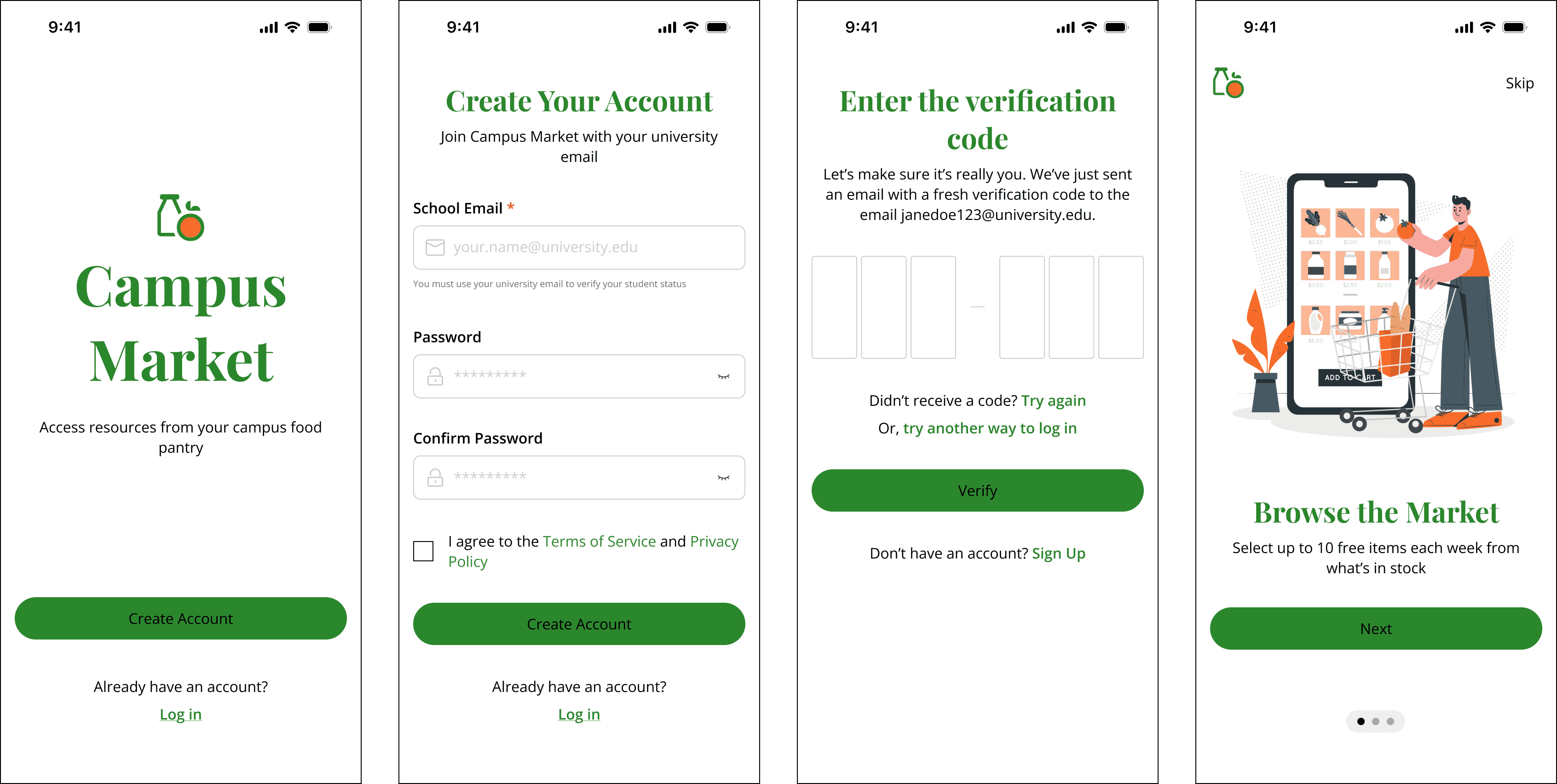
With my wireframes, I created a static prototype and a presentation to submit.
I signed up for this Protothon to challenge myself and see how far my current skill set could take me. The entire experience was genuinely meaningful. I walked away feeling grateful for what I already know, humbled by what I still need to learn, and inspired by how creatively others approached the same prompt.
The judges provided thoughtful and constructive feedback. Here were some of them:
"Covered pain points and solutions, but still lack of research (secondary and primary)
You can also add personas
UI is well-designed — typography, spacing, and icon sizing are all impressive
The button CTA is failing in terms of contrast. You can use white text on the green CTA to improve visibility
The solution primarily addresses a campus-specific problem — food pickup — but it doesn't fully tackle the broader social issues highlighted in the problem statement
Amazing presentation. You clearly showed with arrows how you solved the problem and also add the future scope
If I could change one thing, it would be incorporating more research into my presentation, especially around the broader systemic issues the judges highlighted. I also wish I had the chance to receive more guidance on how to expand the solution through that wider lens.
Overall, I learned a lot—about the process, about myself, and about the importance of balancing feasibility with social impact. I'm excited to keep learning and hope to participate in future Protothons.
Interactive Prototype
I would build out a fully clickable prototype to better illustrate user flows and prepare the design for testing.
Testing
After iterating the prototype, I would conduct usability testing with students to evaluate clarity, ease of use, and whether the features genuinely reduce barriers to pantry access.
Expand Research
I would gather deeper insights through interviews and additional secondary research to better understand how students experience food insecurity today and how the product can address broader social and systemic barriers.